
Incoming call from an unknown number
Recipient: Hello.
Caller: “I’m calling you from Safaricom customer care. We’ve noticed an issue with your M-PESA account, and we need to help you resolve it.”
You pause for a second. You don’t remember reporting any issue, but the caller sounds calm, professional and surprisingly convincing.
Before you know it, they’re asking you to “verify” your account by sharing your M-PESA PIN or following a few instructions on your phone.
It all sounds urgent. They even reassure you that they’re trying to protect your money.
And that’s exactly how some fraudsters target M-PESA users. Not with sophisticated hacking, but with a simple conversation designed to make you panic before you have time to think.
As more Kenyans embrace digital payments, fraudsters are becoming smarter, more creative and more believable.
The good news? Once you understand how these scams work, they’re much easier to spot.
The Biggest Red Flag? They’re Pretending to Help You
Fraudsters know that M-PESA is part of everyday life. They also know that if they can convince you there’s a problem with your account, then there’s a good chance you’ll act first and think later.
One common tactic fraudsters exploit this is by impersonating Safaricom customer care.
Here’s the first rule every M-PESA user should remember:
One principle never changes: if anyone claiming to be from Safaricom asks for your PIN, end the call immediately. Genuine staff will never require it.
Your PIN is exactly that, yours. No genuine customer care representative needs it, and no legitimate support process requires you to disclose it.
Read More: Safaricom Upgrades My OneApp with Zero-Rated Access and New Customer Features
Another common trick is telling customers to visit the nearest M-PESA agent to “reverse” a transaction or complete a verification process.
That, too, should immediately raise suspicion. Legitimate transaction reversals don’t work that way.
Then there’s the SMS trick.
Scammers sometimes send messages from ordinary mobile numbers that look almost identical to genuine M-PESA notifications.
Take a closer look before you believe what you’re see.
Before acting on any payment notification, check who sent it. Genuine transaction alerts display the sender ID “M-PESA,” not an ordinary mobile number.
That small detail has saved countless people from making costly mistakes.
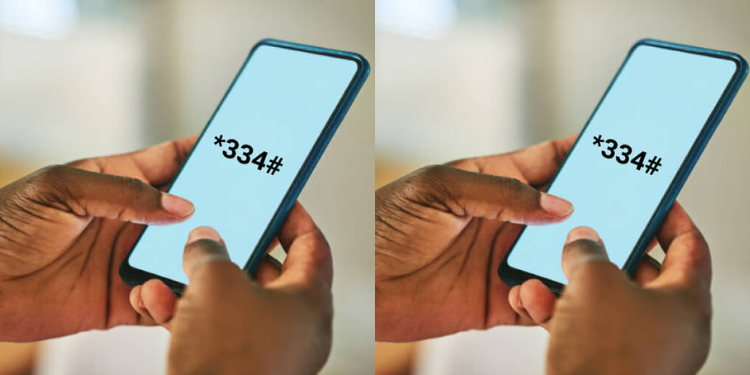
The USSD Trick Fraudsters Want You to Fall For
If you’ve ever bought airtime, checked your balance or sent money by dialing codes like *334#, you’ve already used USSD.
Think of USSD as the quick menu system that allows your phone to communicate directly with your mobile network without needing an internet connection.
Fraudsters understand that many people trust these familiar menus.
They may call you pretending to be customer support and then instruct you to dial a USSD code or follow a series of prompts “to secure your account” or “cancel a suspicious transaction.”
What they’re actually doing is guiding you through a process that authorizes a transaction to their number.
According to Safaricom, fraudsters have also developed techniques aimed at intercepting mobile banking data during transmission.
In addition, the company notes that its network incorporates built-in encryption mechanisms that encode data moving across the network to help protect customers.
The Real Threat Isn’t Technology
For the average user, however, the biggest danger isn’t understanding the technology, it’s recognizing manipulation.
The fraudster’s greatest weapon isn’t the phone. It’s convincing you to willingly press “Send.”
Once a transaction has been authorized using your own phone and PIN, recovering the money becomes much more difficult.
That’s why slowing down for even a few seconds can make all the difference.